
How a Polynomial Calculator Can Solve Your Toughest Polynomial Equations
Saturday, November 16, 2024

I’m guessing you have a math problem staring you down that’s making your head spin. If you’re struggling with a complex polynomial equation like trying to convert an ellipse polynomial equation to parametric form, I know how you feel. But that can be frustrating, especially if you don’t know where to begin.
There is however an easier way. With a polynomial calculator, you don’t need to spend hours figuring out the solution. This tool will do everything from factoring through solving and even polynomial division! I will have you covered it no matter if you are working through polynomial equations fighting with Taylor polynomials, or anything in between. Let’s tackle this together, step by step, and keep reading!
What is a Polynomial Equation?
What is a polynomial equation, anyway? Let’s break it down. A polynomial equation is a mathematical statement using variables, exponents, and coefficients. It all comes down to the exponent. The highest exponent of the variable tells you the degree of the equation. In simple terms, a polynomial equation could be something like:
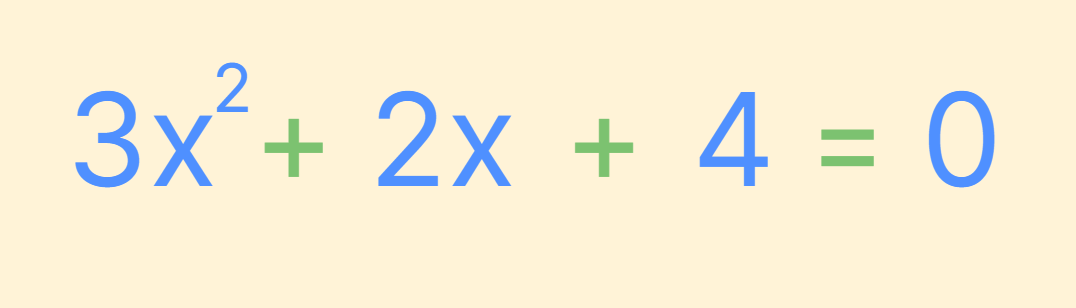
where is the variable, and the powers (or exponents) of determine its complexity.
What is Not a Polynomial?
So, what if there are other types of equations? In other words, well, it's not polynomial; it's not in this form. Trigonometric functions (like and ), logarithmic equations, exponential functions, etc. are included. Anything with a negative exponent, or with a fractional exponent, does not qualify as a polynomial. Consider, for example,
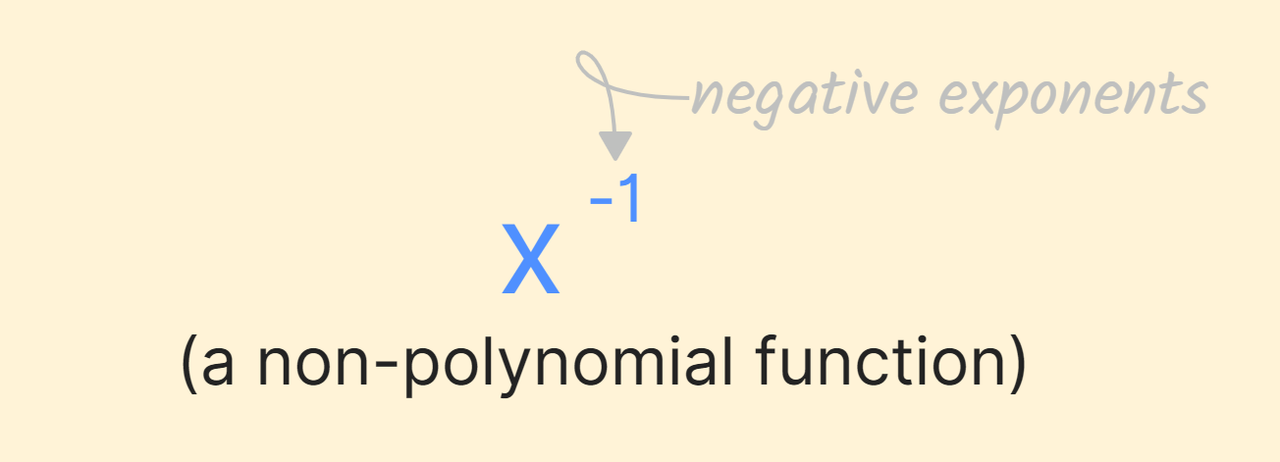
It is a non-polynomial function. Similarly, polar coordinates often deal with non-polynomials.
Polynomial Equation Formula
So, what’s the formula? The general structure of a polynomial equation looks like this:
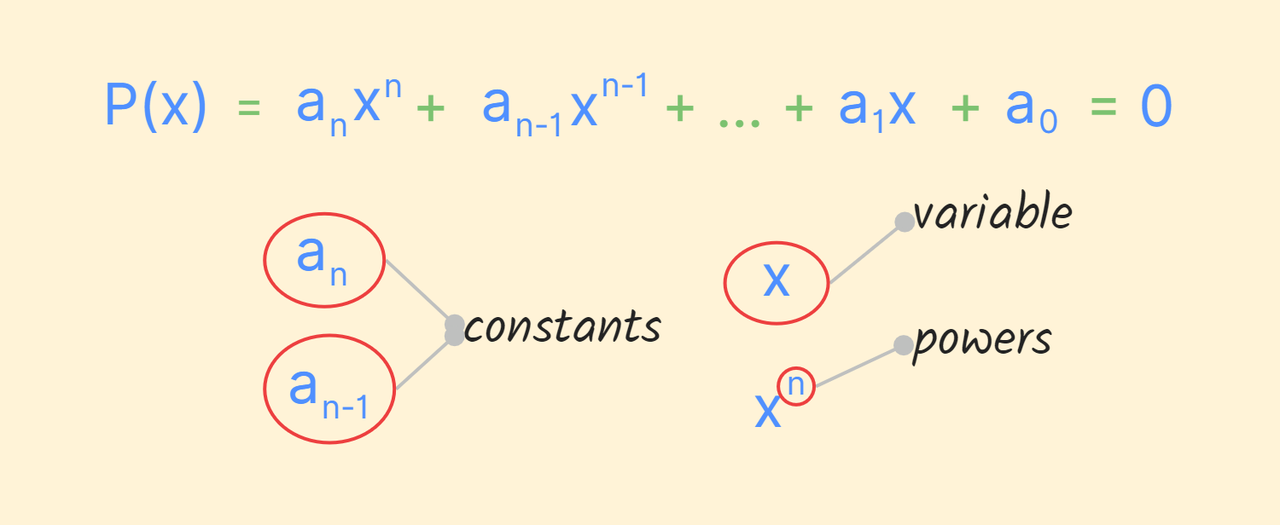
Types of Polynomial Equations
Polynomial equations come in different forms, and depending on their degree, they get special names:
- Linear Equations: These are the simplest, like:
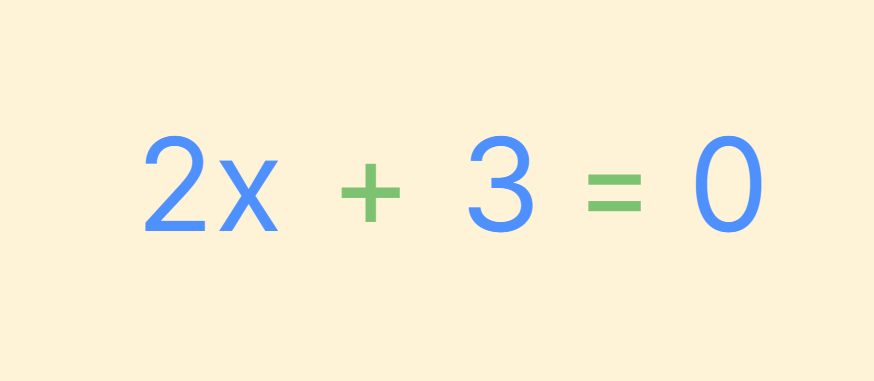
Here, the highest exponent is .
- Quadratic Equations: A degree of , like:
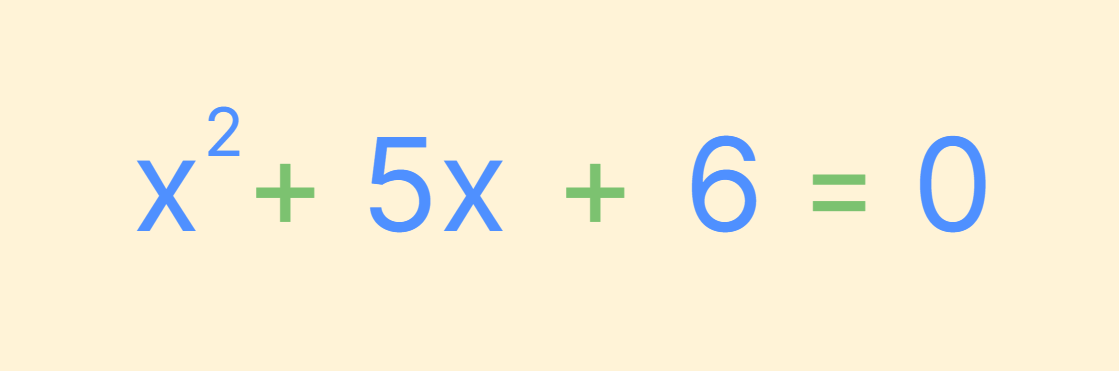
- Cubic Equations: These have a degree of , like:
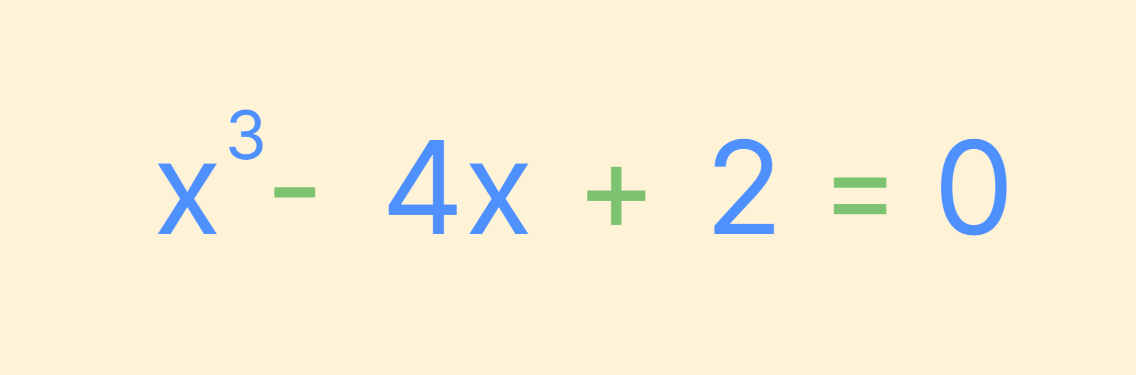
A polynomial equation calculator can solve each type of polynomial equation, making it much easier to handle complex equations.
FAQs about Polynomial Equations and Polynomial Calculators
Is This a Polynomial Calculator?
With all these math tools available online, how do you know which calculator to use for the job? A polynomial calculator should have the ability to handle operations like addition, subtraction, multiplication, division, and factoring, all specific to polynomials. It should also be able to convert complex equations, like solving an ellipse polynomial equation and putting its solution into parametric form. Not all calculators can do this, so it’s crucial to use a specialized polynomial division calculator or Taylor polynomial calculator for more advanced polynomial operations. If you were halfway through solving a problem because the tool you use can’t handle the calculation – you don’t want to be there!
Is the Function a Polynomial?
Ask any person, and he most likely will ask if a function is indeed polynomial. How can you check? A polynomial calculator can help you determine this quickly. A Polynomial function means terms where the exponent is a whole number and a non-negative number. It meant no square roots, no fractions, and certainly no negative powers.
A function like:
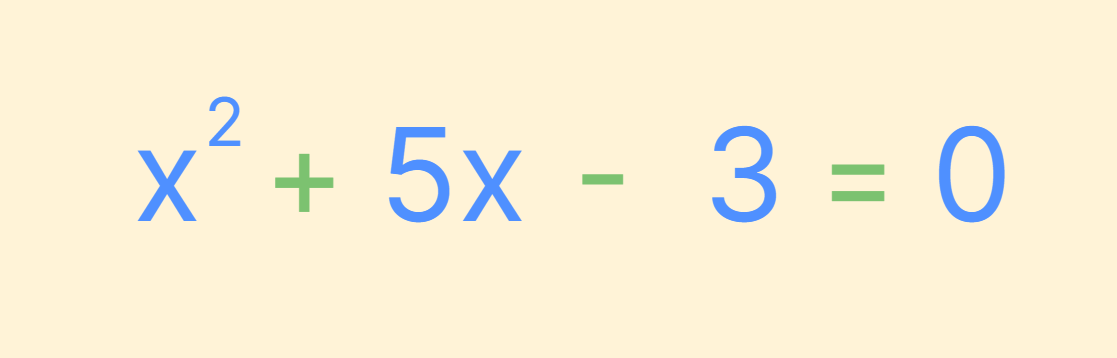
is a polynomial, while something like:

is not.
Using a polynomial equation calculator makes verifying this even easier. You just need to input the function and the calculator will print if that function is a polynomial.
How to Solve Polynomial Equations
Well, now that we’ve figured out what a polynomial equation even is, how do we solve one? There are many methods, such as factoring, and synthetic division. With the help of a polynomial calculator, you can take guesswork out of the process. Rewrite the equation in its standard form, with variables and constants on one side, and zero on the other. Secondly, you can factor the equation or play around with the quadratic formula, or rational zero theorem, to find the solution. A polynomial division calculator can also be extremely helpful when dividing polynomials, especially when dealing with higher-degree equations.
For example, to solve a quadratic polynomial, you might use the factoring method:
- Step 1: Factor the equation (if possible).
- Step 2: Set each factor equal to zero.
- Step 3: Solve for the variable in each factor.
If factoring is not straightforward, the quadratic formula or a polynomial calculator can step in, delivering solutions in no time.
How to Use a Polynomial Calculator to Solve Polynomial Equations
Now that you know what a polynomial calculator is and how useful it can be, let’s look at how to use it effectively. The process is simple:
- Enter the Polynomial: Type your polynomial equation to solve or simplify. For addition or subtraction, only enter, if you’re working with more than one polynomial.
- Choose the Operation: Tell it what type of operation you want to perform, factoring, expanding, or simplifying.
- Click ‘Calculate’: After you’ve inputted everything hit the calculation button. The polynomial calculator will handle the rest, providing a detailed solution.
- Step-by-Step Solution: The polynomial calculator not only answers but also shows the step-by-step process, so you can follow along and understand how the solution was reached.
- Final Answer: Review the final simplified or factored form of the polynomial, with explanations for each step.
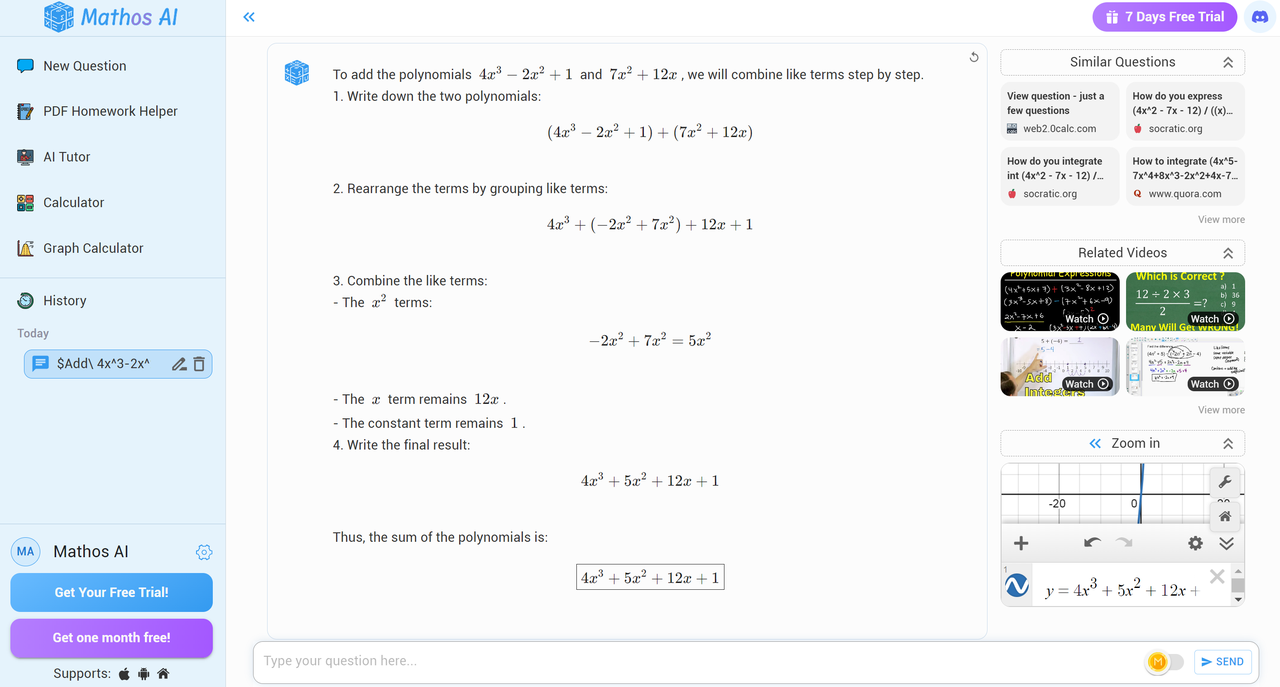
Example:
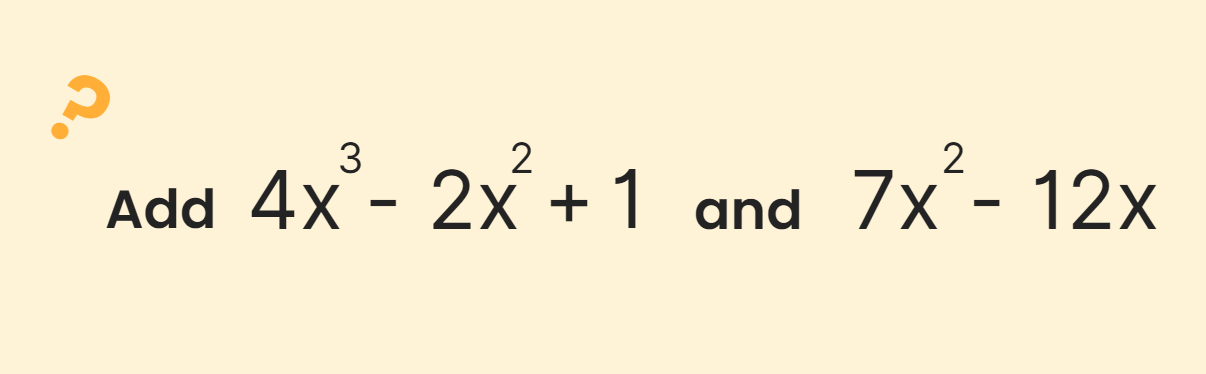
Mathos AI's Answer:
Let Mathos AI’s Polynomial Calculator Solve the Puzzle for You!
It’s time to be honest, figuring out a polynomial equation on your sounds is just like trying to decode some mysterious secret language. But don’t worry, Mathos AI’s polynomial calculator is here to take the headache out of math! With whatever degree polynomial you have to factor, divide, or even sort out those odd higher-degree critters, this tool gets the job done in seconds and will have you relaxing in no time. Mathos AI helps you solve math questions and Mathos AI's calculator walks you through each step so you understand how the math works. Ready to make math easy? Try Mathos AI’s polynomial calculator today—because solving equations shouldn’t be a mystery! If you'd like to tackle more math questions, you can use Mathos AI's PDF Helper as your digital notebook by uploading your PDF. Happy calculating with your AI tutor!