
Mathos AI Vs. Microsoft Math Solver: Which Math Solver is Better
Wednesday, March 5, 2025

A great math solver isn’t just about getting the right answer—it’s about understanding how to get there. Meet Mathos AI, an AI-powered math tutor designed to help students of all levels break down complex problems and build real math confidence. On the other side, there’s Microsoft Math Solver, a user-friendly tool known for its multi-language support and ability to solve equations through text, drawing, or photo input.
So, which math solver truly helps students learn rather than just compute?
- Mathos AI is like having a personal AI tutor available 24/7. Snap a photo of your worksheet, type in an equation, or sketch a problem—it works however you learn best. Need to tackle calculus, geometry, or statistics? Mathos AI provides step-by-step problem solving, interactive math calculators, and even AI tutoring, so you never lose track of your learning. Plus, with 20% higher accuracy than ChatGPT, it’s a powerful tool for mastering math.
- Microsoft Math Solver? It’s great for basic problem-solving and supports over 70 languages, making it widely accessible. However, it lacks advanced math features like personalized problem solving, AI whiteboard, and PDF-based math homework upload, which means students may hit roadblocks when tackling more complex topics.
So, which AI math solver deserves a spot in your study routine?
This article breaks down problem-solving versatility, learning support, and additional toolkit to help you choose the right tool for your needs. Let’s compare Mathos AI and Microsoft Math Solver to see which one truly empowers students to learn. 🚀
Stay tuned! Next, we’ll pit Mathos AI against Symbolab, Gauthmath, and Mathful to crown the ultimate math solver for your needs.
A Head-to-Head Comparison between Mathos AI and Microsoft Math Solver
What They Both Offer
✅ Step-by-step explanations – Each provides a breakdown of the solution process.
✅ Math calculator – Both tools provide math calculators to analyze and solve math problems.
✅ Graphing calculator – Capable of visualizing functions and equations.
✅ Multiple input methods – Supports typed, handwritten, and photo-scanned equations.
✅ Homework assistance – Helps students with problem-solving and additional resources.
✅ Multi-level math support – Covers a range from elementary math to calculus.
✅ Interactive learning tools – Provides dynamic explanations and related learning materials.
✅ Free to use – Both tools are available at no cost.
How They Differ
| Feature | Microsoft Math Solver | Mathos AI |
|---|---|---|
| Input Methods | Typing, handwriting, photo scanning | Supports PDF uploading and editing, image recognization, text and even voice input |
| Interactivity | Static practice feedback | Supports follow-up questions |
| Visualization | Supports interactive function | Able to plot functions, visualize equations, and receive step-by-step explanations |
| Specialized Calculators | Basic math calculator with four subject categories | Dedicated calculators for all math topics |
| Learning Support | Bookmarks to track progress; daily quiz reminders | Personalized AI tutoring: adjusts difficulty, offers feedback, and visuals. |
| Additional Resources | Related worksheets, search results, and video tutorials | Custom learning plans with curated explanations and YouTube tutorials |
| Cross-Device Sync | Available on iOS, Android, Windows devices, and integrated with Edge browser. | Allows users to resume learning on different devices |
Key Takeaways:
- Microsoft Math Solver: Basic educational tool for solving math problems
- Mathos AI: AI-powered math solver and personalized tutor
Input Methods: Microsoft Math Solver Supports Typing and Photo Scanning
Microsoft Math Solver lets you type in math problems, take photos of them, or draw them on your screen. This is helpful for solving handwritten or complex math questions. You can also import images with math equations from your camera roll.

Input Methods: Mathos AI Allows Multiple Input Methods
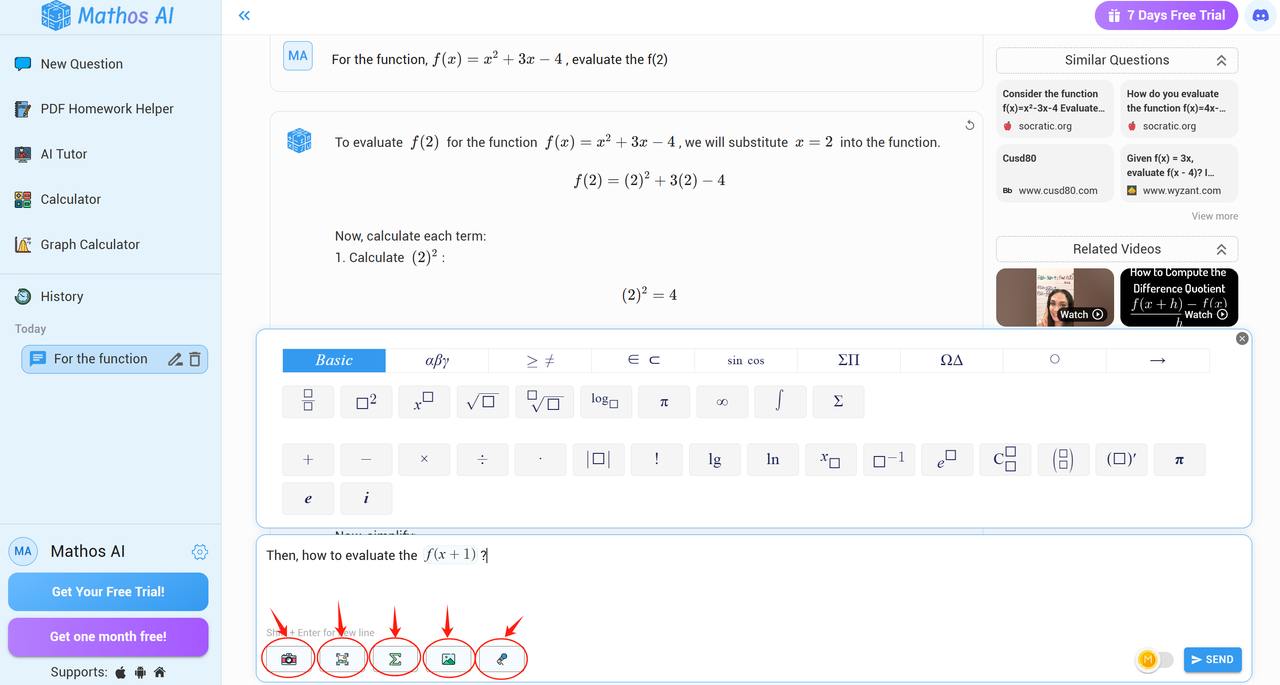
Mathos AI offers more ways to input problems. Besides typing, taking photos, and drawing, you can use your voice or upload PDFs of your homework. With the PDF Homework Helper, you can upload assignments, and Mathos AI will find the problems, explain them step by step, and let you add notes or make changes. This makes PDFs into interactive study tools, helping you understand math concepts better.
PDF Homework Uploads for Advanced Problem-Solving
Beyond text, photo, and voice inputs, Mathos AI empowers students with a PDF Homework Helper. This AI homework helper allows users to upload full assignments for step-by-step solutions. Users can drag and drop their PDFs directly into the solver, where Mathos AI identifies problems, provides detailed explanations, and even lets students annotate or modify their work.
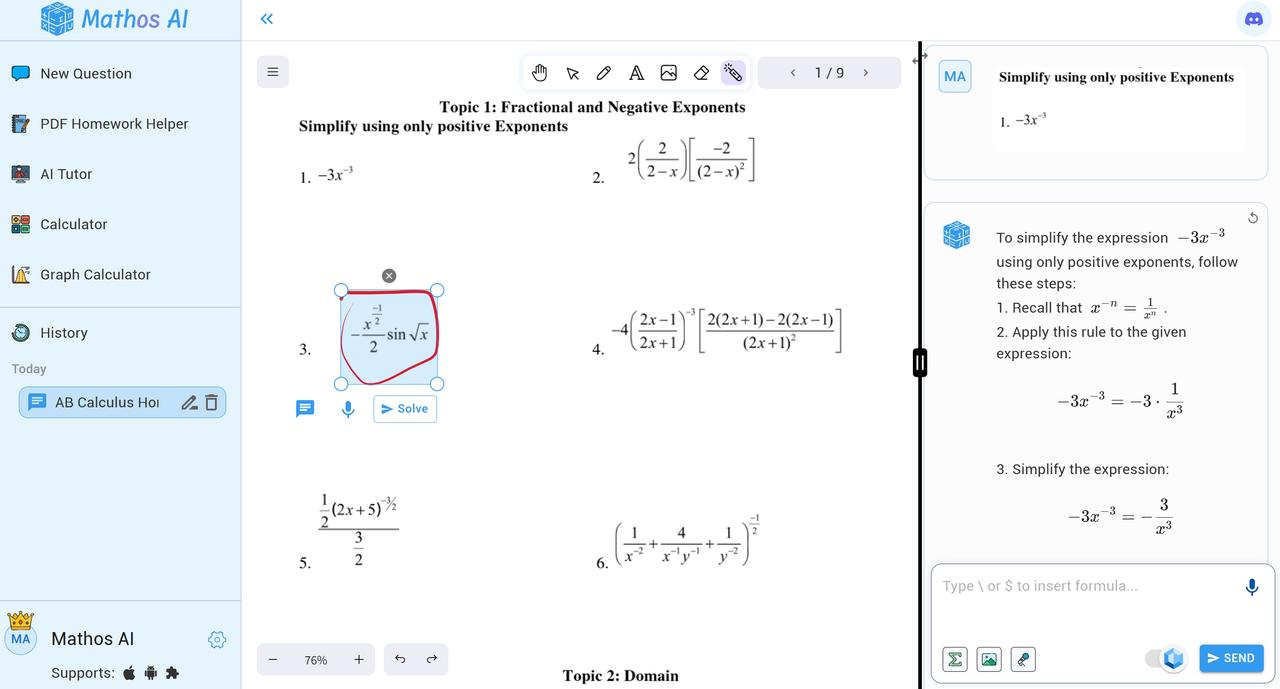
Unlike other math solvers, this feature transforms PDFs into dynamic study tools, letting students grasp concepts with clarity and efficiency.
Interactivity: Microsoft Math Provides Static Practice Feedback
Microsoft Math Solver provides static practice feedback, which means it shows step-by-step solutions that help students understand how a math problem is solved. You can click on each step to see more details and even look up related math concepts. This is helpful because it breaks down problems clearly. However, once a problem is solved, the interaction ends. You can't ask follow-up questions or change parts of the problem to explore different solutions.
Interactivity: Mathos AI Supports Follow-Up Questions
Mathos AI, on the other hand, is more interactive because it supports follow-up questions. After getting a step-by-step solution, you can click on any part of your problem to edit it or ask for more explanations. This makes learning more flexible, allowing you to explore different ways to solve a problem at your own pace. Compared to Microsoft Math Solver, Mathos AI gives more personalized guidance by adjusting to your learning style and letting you dive deeper into the math concepts that confuse you.
Visualization: Microsoft Math Solver Supports Interactive Function
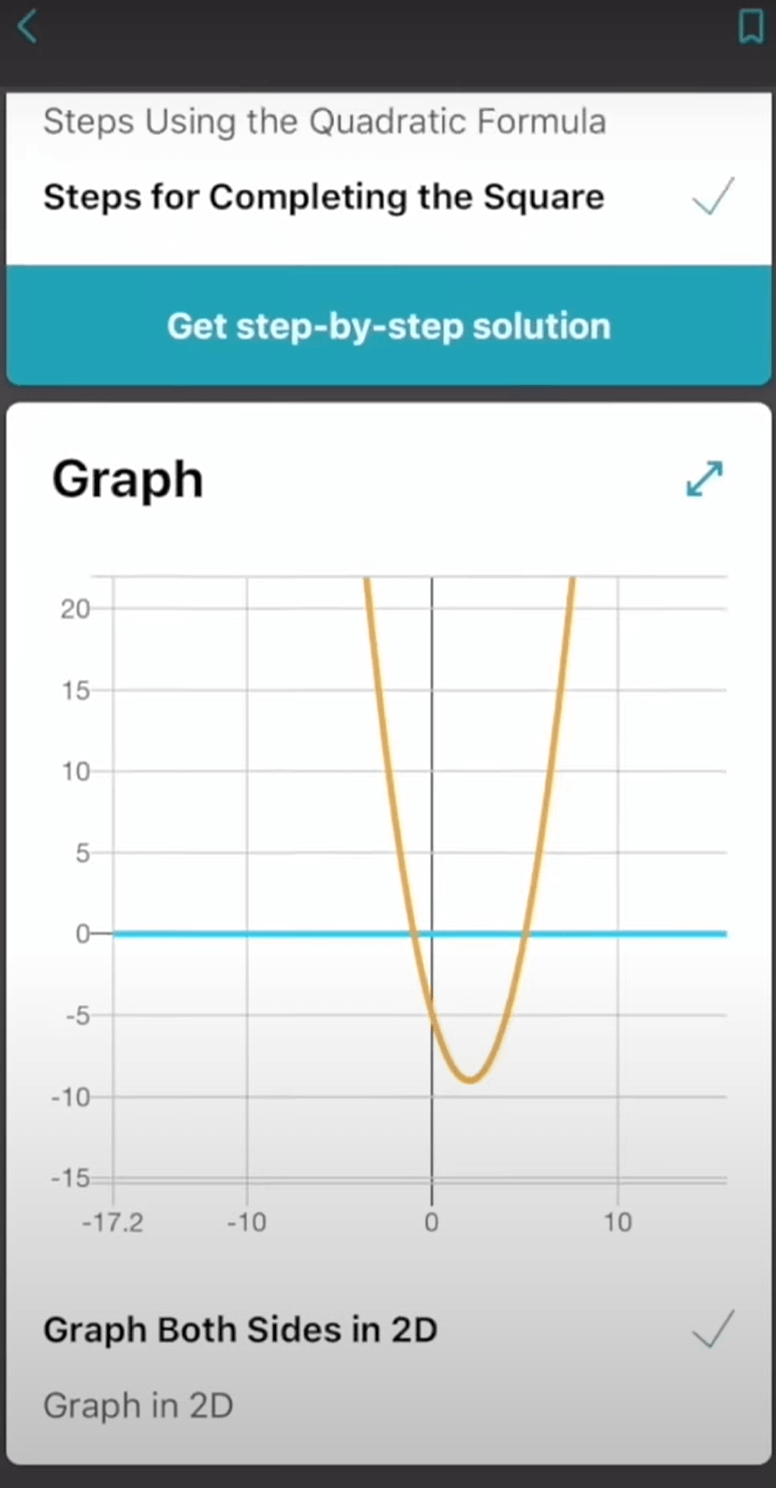
Microsoft Math Solver supports interactive functions, allowing you to instantly graph equations and explore how different variables interact. With its built-in graphing calculator, you can visualize functions and see real-time changes as you adjust values. Whether you're working on algebra, calculus, or any math problem requiring graphs, Microsoft Math Solver helps you understand the relationship between equations and their graphical representations. The interactive feature even lets you scan X-Y data tables, making it easier to analyze both linear and non-linear functions.
Visualization: Mathos AI Allows You to Draw Graphs just as You Envision Them
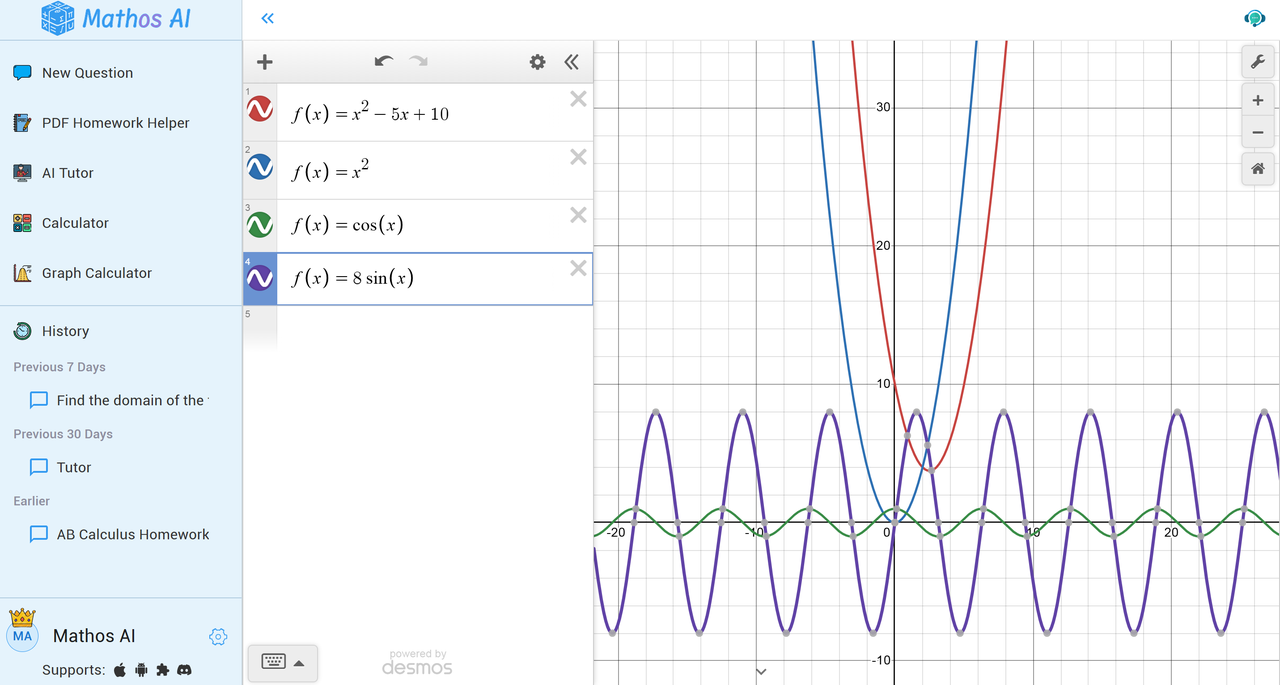
Mathos AI, on the other hand, takes visualization a step further by letting you draw graphs just as you envision them. Powered by Desmos technology, Mathos AI Graphing Calculator provides a smooth, interactive experience where you can plot functions quickly and adjust them with precision. Unlike Microsoft Math Solver, which focuses on visualizing equations, Mathos AI emphasizes deeper exploration by giving users more control over graph adjustments. This makes it a go-to tool for students looking for fast and confident mastery in algebra, trigonometry, and calculus, helping them build a stronger understanding of math concepts through hands-on interaction.
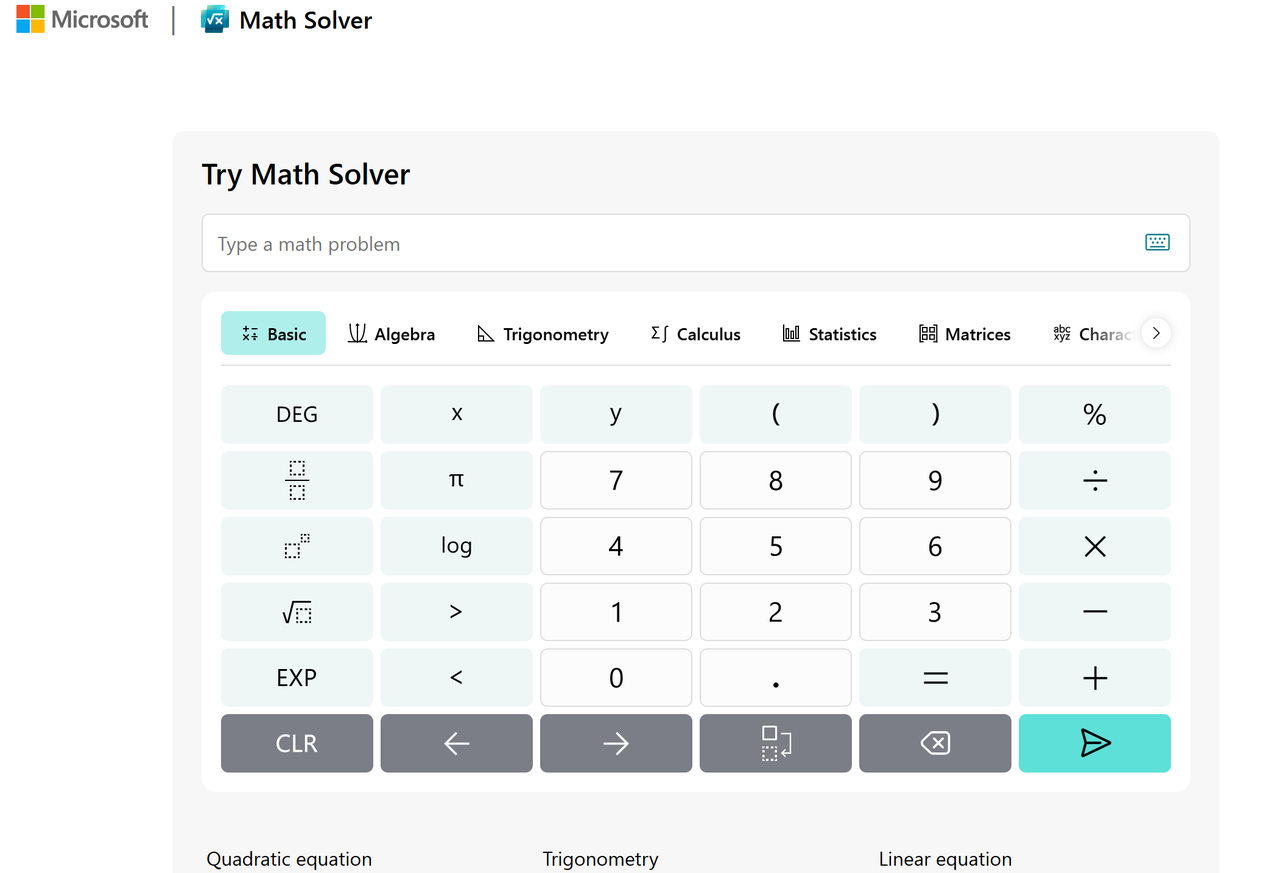
Specialized Calculators: Microsoft Math Solver Has Basic Math Calculator with 4 Subject Categories
Microsoft Math Solver has a basic math calculator with four subject categories. It organizes math concepts into Pre-Algebra, Algebra, Calculus, and Trigonometry. This tool can solve problems like quadratic equations, trigonometry, arithmetic, matrices, differentiation, integration, and limits. It also covers elementary math topics like factors, LCM, GCD, and statistics, including mean, median, and mode. While it supports a variety of math and science problems, its calculator is more of a general problem solver rather than a set of specialized tools for different math topics.
Specialized Calculators: Mathos AI Offers Dedicated calculators for All Math Topics
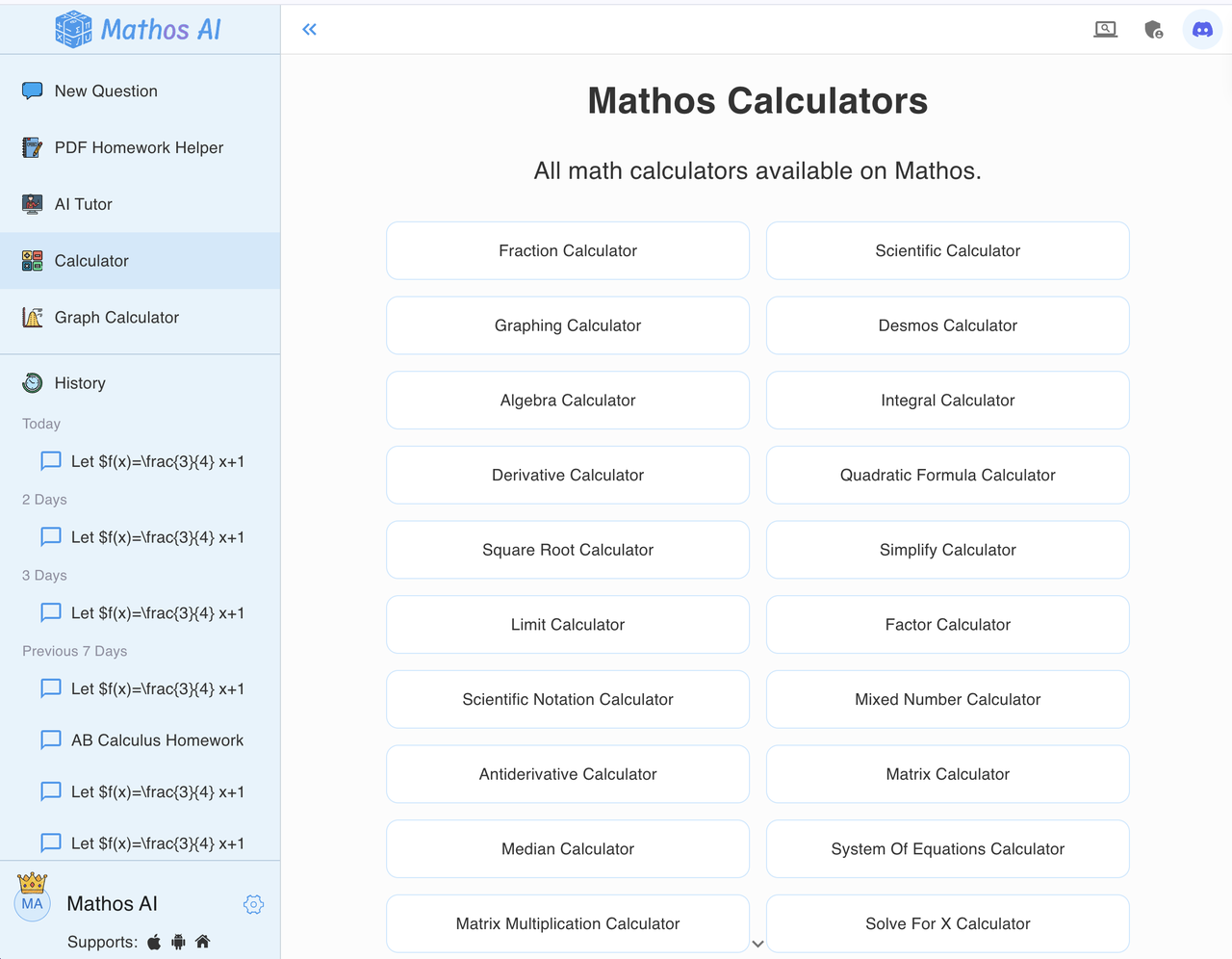
Mathos AI offers dedicated calculators for all math topics. Unlike Microsoft Math Solver, which sorts problems into four categories, Mathos AI provides over 40 specialized calculators designed for specific math challenges. Whether you need to simplify fractions, solve parametric equations, or work with Laplace transforms, Mathos AI has a precise tool for the job. It also supports advanced topics like scientific notation and Laplace transform. Best of all, users can access these calculators for free without registration, making it a flexible and powerful option for students who want detailed and accurate solutions.
Learning Support: Microsoft Math Solver Provides Several Learning Tools
Microsoft Math Solver helps students track their learning progress with useful tools. It lets students bookmark problems, review their problem-solving history, and even track their weekly progress through course completion rates and average scores. Students can also set daily quiz reminders to stay on top of their learning. These features make Microsoft Math Solver a good choice for keeping track of past work and staying organized while practicing math.
Learning Support: Mathos AI Offers a 24/7 AI Tutor and Whiteboard
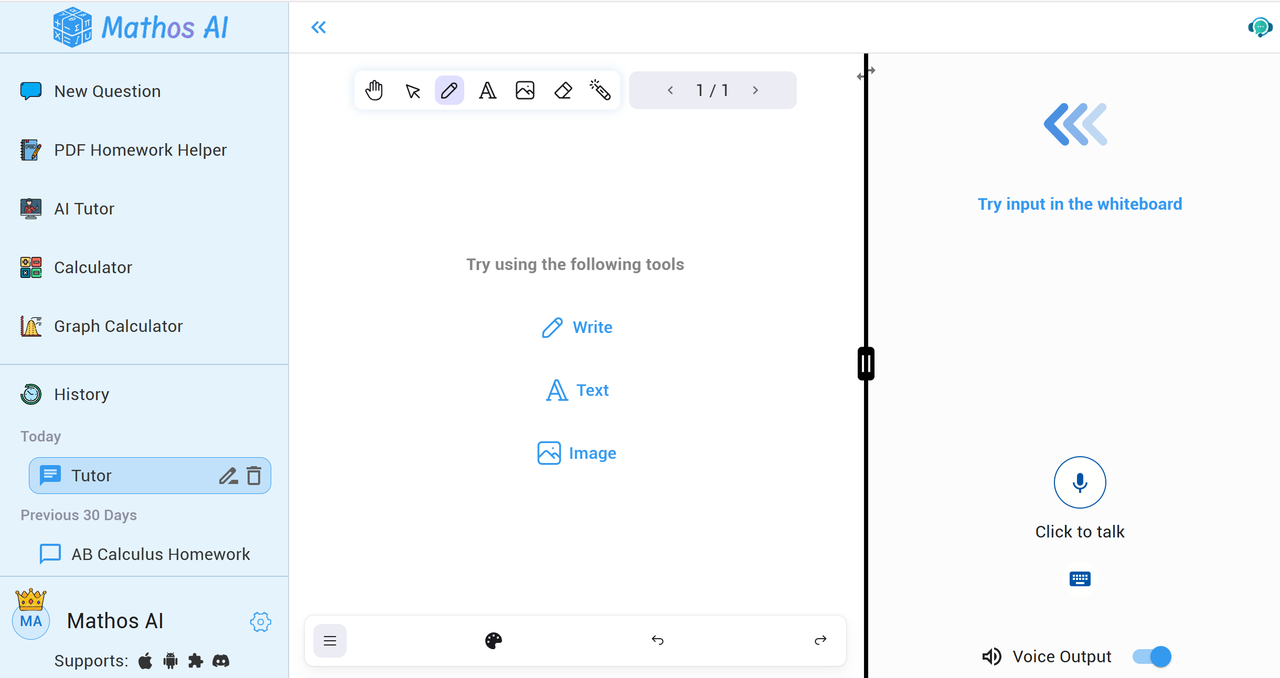
Mathos AI goes beyond simple tracking by acting as a real-time, interactive tutor. It adapts to each student’s learning style, providing step-by-step explanations tailored to their needs. Available anytime, Mathos AI Tutor is perfect for students who need instant help, whether they’re studying during the day or late at night.
See how it works exactly in this video:
Unlike Microsoft Math Solver, Mathos AI Whiteboard can read handwriting, voice inputs, and type questions, making it a flexible learning tool. It breaks down complex problems into easy-to-understand steps, helping students truly grasp difficult concepts.
Additional Resources: Microsoft Math Solver Offers Related Video Tutorials
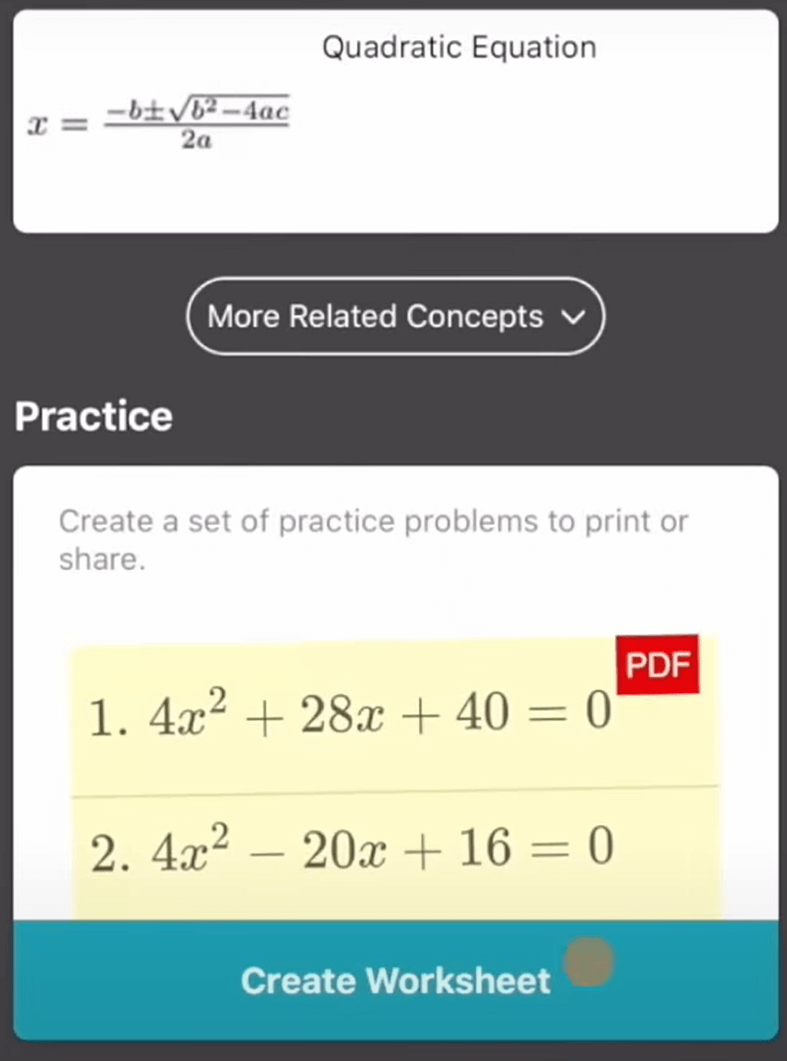
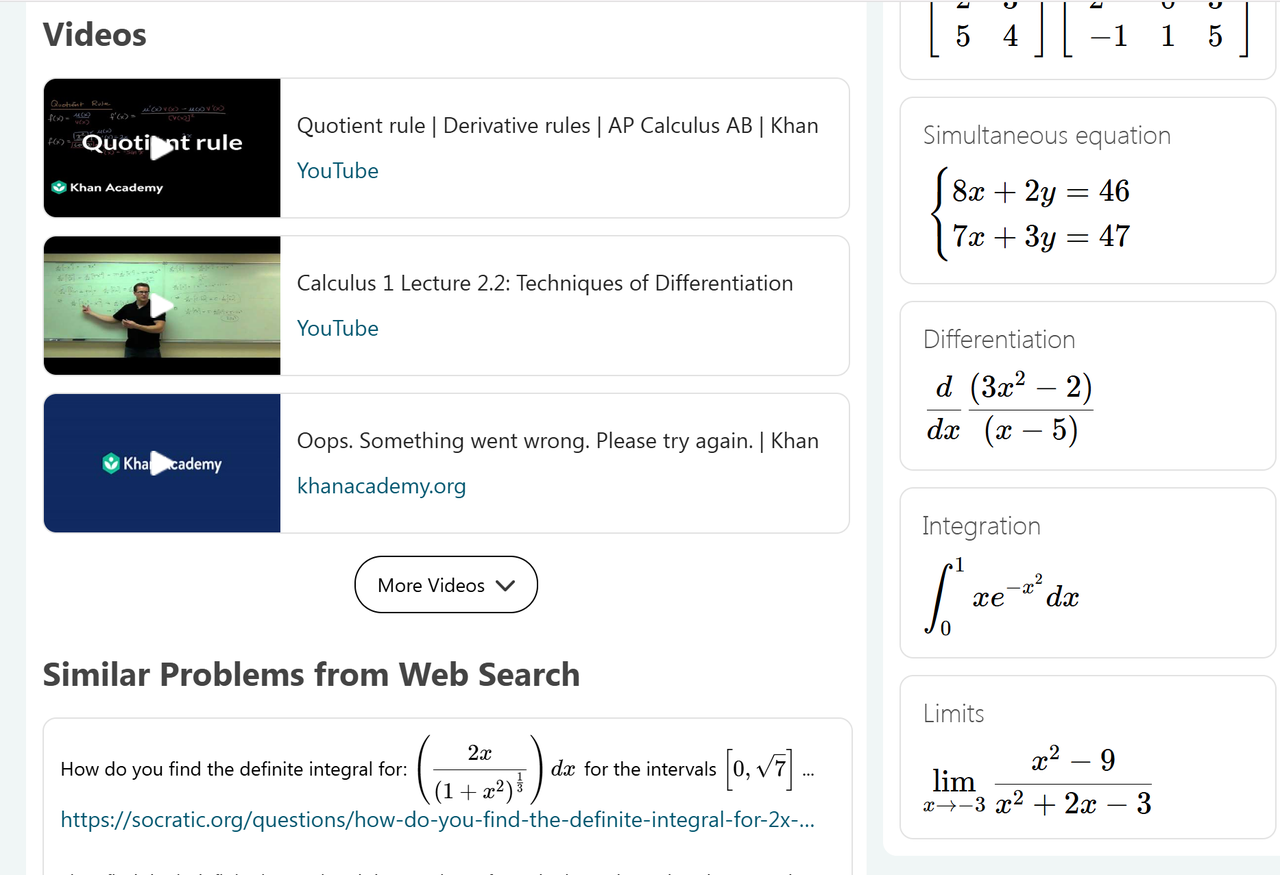
Microsoft Math Solver helps students by providing video tutorials and worksheets related to their math problems. When a student enters a question, the app searches for similar problems and suggests online videos that explain the concept step by step. These tutorials come from various sources, including educational websites and learning platforms. The app also offers daily quizzes and practice exercises to reinforce learning. However, because the videos and materials are automatically pulled from different websites, the explanations might not always match the student’s learning style or go into the depth they need.
Additional Resources: Mathos AI Offers Curated Explanations from Expert Instructors
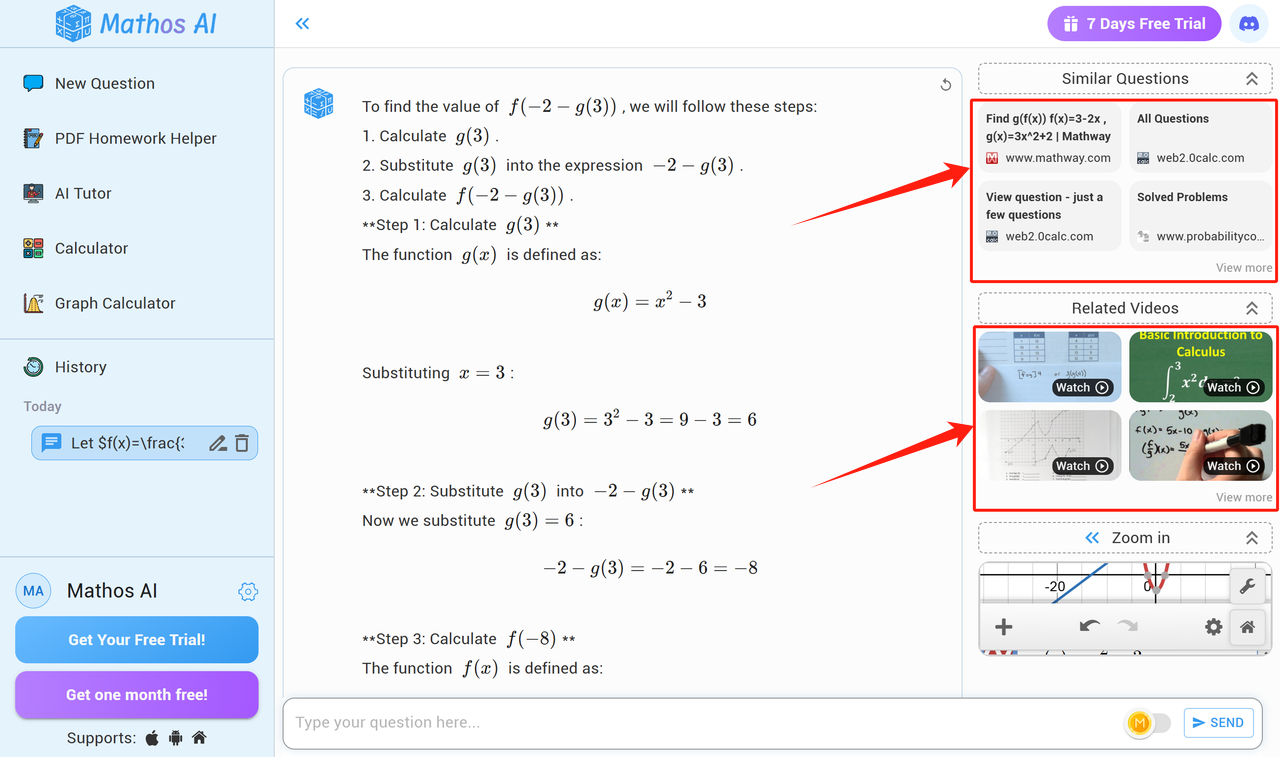
Mathos AI takes a different approach by offering handpicked explanations from expert math instructors. Instead of just linking to random video tutorials, Mathos AI first identifies the core concept behind the problem and then provides structured lessons tailored to the student’s level. These lessons often come from trusted educators who break down complex ideas into simple steps. This means students get a clear and well-organized learning experience instead of just a list of search results. Mathos AI also adapts to different learning paces, ensuring that students fully understand a topic before moving on.
Microsoft Math has Multi-Language Support
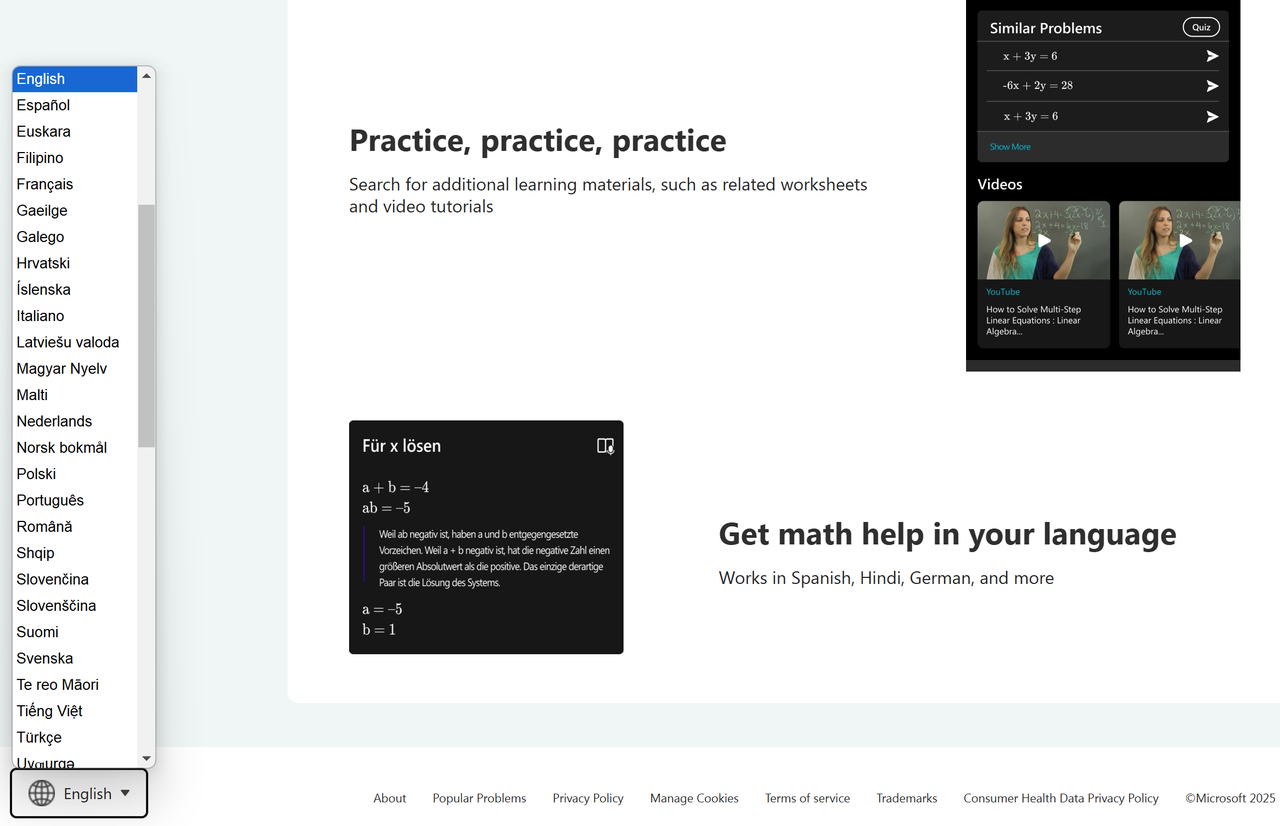
It supports over 70 languages, including Spanish, Hindi, German, Chinese, French, and many more. Whether you speak English or another language, Microsoft Math Solver makes solving math problems easier by giving explanations in the language you're most comfortable with. On Android and iOS, it offers 22 supported languages, including several Indian languages like Tamil, Punjabi, and Marathi.
Mathos AI Allows You Switch Between Devices Seamlessly
Mathos AI, on the other hand, offers a seamless experience across different devices. When you start solving a math problem on your phone while commuting, you can later continue exactly where you left off on your laptop at home. This means you don’t have to re-enter problems or lose track of your learning. Whether you're at school, at home, or on the go, Mathos AI keeps all your math problems and solutions ready for review anytime. It’s like having a portable math tutor that follows you wherever you study!
Which Math Solver Should You Choose?
Both Mathos AI and Microsoft Math Solver are exceptional tools that cater to different aspects of math problem-solving. While Mathos AI excels as a personalized learning companion with its adaptive tutoring system, detailed step-by-step explanations, and versatile input methods (including voice, drawing, and PDF support), Microsoft Math Solver shines for its simplicity and accessibility, offering multi-language support and quick solutions to a wide range of topics, from pre-algebra to calculus.
- Try Microsoft Math Solver if you need a straightforward tool that provides fast solutions and works well for basic to intermediate math problems. Its multi-input options, including typing, drawing, and scanning, make it accessible for a wide range of users, especially those who need quick answers or need to solve problems on the go. However, if you're focusing on more advanced math topics or need deeper learning support, it may fall short.
- Choose Mathos AI if you prefer a more personalized and interactive learning experience. With features like advanced graphing calculators, step-by-step visuals, PDF homework help, and AI tutoring support, Mathos AI offers a comprehensive math learning solution for students at all levels. Whether you’re tackling complexpolynomial equation problems or mastering trigonometry, Mathos AI adapts to your pace and style, making it the ideal choice for those who want to truly understand math concepts and gain confidence in their problem-solving skills.
Your learning needs and goals will determine which math tool suits you best. Both Mathos AI and Microsoft Math Solver offer valuable support, but if you're looking for an all-encompassing math tutor that goes beyond simple problem-solving, Mathos AI is the way to go.
Don’t just solve problems—unlock your full potential with Mathos AI. Join over 3 million students worldwide who trust Mathos AI for their math learning journey. Start asking Mathos AI questions today and experience math like never before!